
Adobe Premiere Pro Gets Major AI Upgrade: What’s New in 2026?

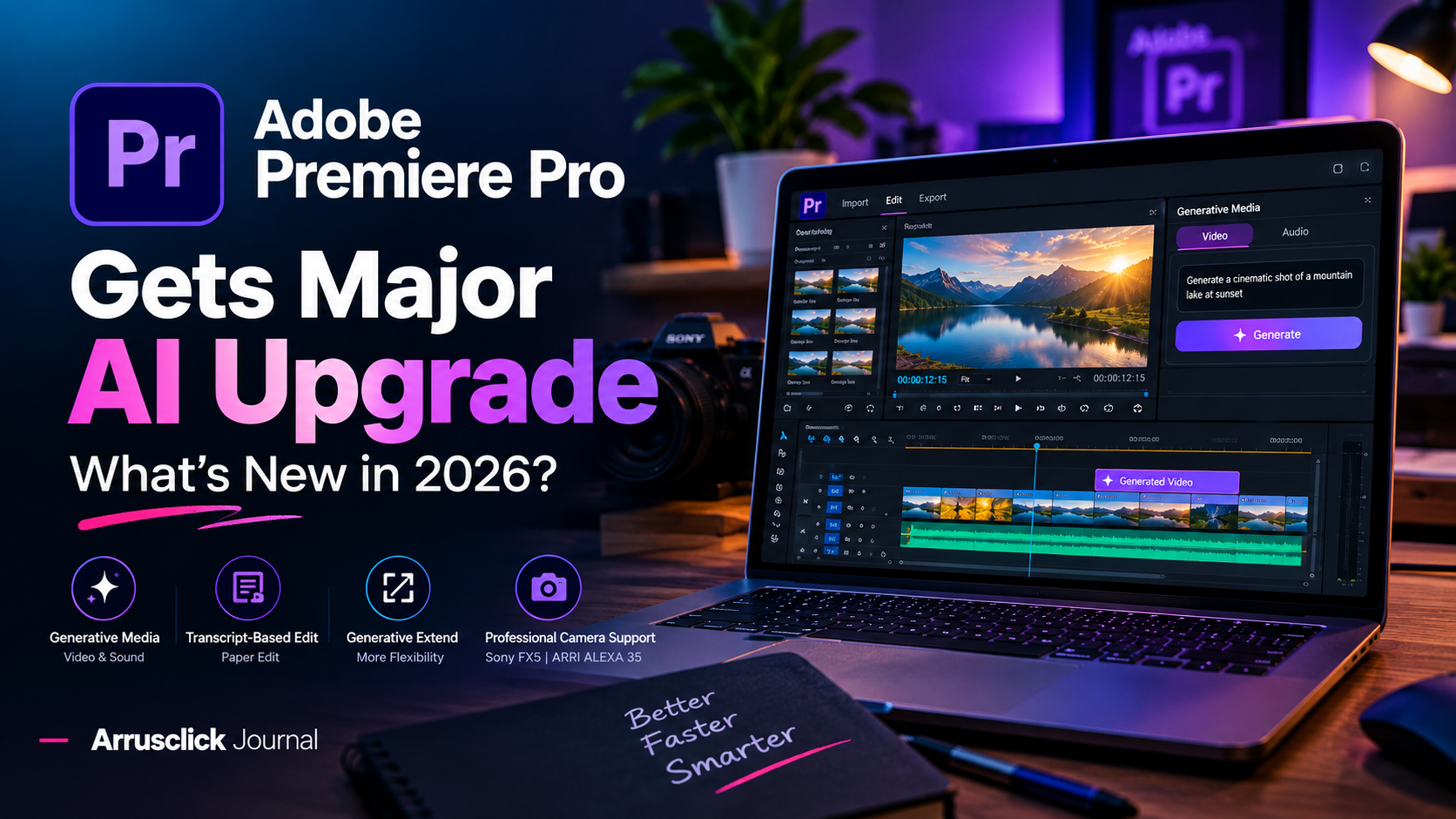
Adobe Premiere Pro is getting one of its biggest AI-focused updates yet. With the September 2026 release, Adobe has introduced a new Generative Media Tool that allows editors to create video and sound effects directly inside the Premiere timeline. Instead of leaving the editing application to generate missing footage or audio, creators can now use AI while staying inside their existing project.
For filmmakers, YouTubers, social media creators and professional video editors, this update could significantly change how everyday editing workflows are handled. Adobe is also adding new transcript-based editing tools, improved Generative Extend capabilities, enhanced audio workflows and support for newer professional camera formats.
Adobe Premiere Pro's 2026 update brings AI-generated video and sound directly into the professional editing timeline.
What Is New in Adobe Premiere Pro 2026?
The September 2026 release of Premiere Pro, version 26.5, focuses heavily on AI-assisted production. Adobe's biggest addition is the Generative Media Tool, which lets editors generate video and sound effects from text prompts directly inside the timeline.
Adobe says the generated media can be added as editable clips, allowing editors to continue refining the result without leaving Premiere. This is particularly useful when a project is missing a short B-roll shot, transition element, ambient sound or other production asset.
| Feature | Adobe Premiere Pro 26.5 |
|---|---|
| Generative Media | Yes |
| AI Video Generation | Yes |
| AI Sound Effects | Yes |
| Timeline Integration | Yes |
| Paper Edit | Yes |
| Generative Extend | Expanded support |
| Sony FX5 Support | Yes |
| ARRI ALEXA 35 Xtreme / ARRICORE | Native support |
| NVIDIA Blackwell Optimization | Yes |
1. Generate Video Directly Inside the Timeline
The most important new feature is Premiere's Generative Media Tool. Editors can select an area of their timeline and describe what they need using a text prompt. Premiere can then generate contextual video or audio that can be added directly to the sequence.
This changes the workflow from:
Generate → Download → Import → Organize → Edit
to a much simpler:
Describe → Generate → Edit
For professional editors, saving these extra steps can make a noticeable difference during fast-paced commercial and social-media production.
2. Multiple AI Models Inside the Creative Workflow
Adobe is also taking a model-agnostic approach to generative content. Depending on the workflow and availability, creators can work with Adobe Firefly as well as partner AI models such as Google Veo, Kling, Runway and Luma.
That gives editors more flexibility because different AI models can produce different visual styles, motion characteristics and creative results.
Instead of exporting a project, opening another AI video platform, generating a clip and importing it back into Premiere, the workflow can increasingly remain inside Adobe's creative ecosystem.
3. Paper Edit Makes Transcript-Based Editing Faster
Premiere Pro 26.5 also introduces Paper Edit, a feature designed to help editors build sequences directly from transcripts.
Editors can select multiple lines of transcript text from the Text panel and use them to quickly assemble a sequence. This can be especially useful for interviews, podcasts, documentaries, talking-head videos and YouTube content.
For creators producing long-form videos, this can reduce the amount of time spent manually searching through footage just to find specific spoken sentences.
4. Generative Extend Gets More Flexible
Adobe is also expanding Generative Extend. The feature can use AI to add frames to the beginning or end of a video clip when an editor needs slightly more duration.
In the September 2026 update, Generative Extend supports a wider range of source media, including resolutions from 360p to 4K UHD, different aspect ratios and additional types of footage.
For editors working with short-form content, even a few extra frames can sometimes save a difficult cut or help synchronize a shot with music.
5. Better Support for Professional Cameras
Adobe isn't focusing only on AI. Premiere Pro 26.5 also adds support for professional camera workflows.
The update adds support for Sony FX5 footage, including Sony XAVC and XOCN media. Adobe has also added native support for ARRI ALEXA 35 Xtreme and ARRICORE workflows.
For professional cinematographers and production houses, native camera support can reduce unnecessary transcoding and make it easier to move footage directly into an editing workflow.
6. NVIDIA Blackwell Performance Improvements
Premiere Pro 26.5 also improves hardware-accelerated playback on NVIDIA Blackwell GPUs. Adobe says the update includes hardware 4:2:2 10-bit decoding for AVC and HEVC in MXF.
This is particularly relevant for editors working with modern high-resolution cameras and demanding professional codecs.
Adobe Premiere Pro vs Traditional AI Video Workflow
| Workflow | Traditional Method | Premiere AI Workflow |
|---|---|---|
| Generate B-roll | Use external AI tool | Generate inside Premiere |
| Sound Effects | Search/download/import | Generate directly in timeline |
| Interview Editing | Manually search footage | Use transcript-based Paper Edit |
| Extend a Shot | Reshoot or find another clip | Use Generative Extend |
| AI Models | Switch between platforms | Access multiple models through Adobe workflow |
| Project Organization | Multiple applications | More work can stay inside Premiere |
Is Premiere Pro Becoming an AI Video Generator?
Not exactly.
Premiere Pro is still fundamentally a professional non-linear video editor. However, Adobe is gradually integrating generative AI into the editing process itself.
The important change is not simply that Premiere can generate AI video. The bigger change is that AI-generated assets can become part of the same timeline-based workflow used for traditional footage.
That distinction matters for professional editors because AI becomes a production assistant rather than a completely separate creative application.
Who Will Benefit Most?
Best For
- YouTube creators
- Commercial video editors
- Social media content creators
- Advertising agencies
- Documentary editors
- Interview and podcast editors
- Filmmakers needing quick B-roll
Potential Limitations
- AI-generated content still requires human review
- Results can vary depending on the prompt
- Generative AI features may require credits or eligible plans
- Professional editors may still prefer real footage for critical shots
- Availability of partner models can vary by region
What This Means for Video Editors in 2026
The direction is becoming clear: AI is no longer limited to generating a final video from a text prompt. Instead, AI is becoming integrated into individual stages of professional post-production.
An editor might shoot real footage with a Sony FX5, organize the project in Premiere, build an initial sequence from a transcript, generate a missing sound effect, create additional B-roll and extend a shot—all within the same editing environment.
The human editor still controls the story, pacing, composition and final creative decisions. AI simply reduces the amount of repetitive work required to reach the final result.
Should You Upgrade to the Latest Premiere Pro?
If you are already using Premiere Pro for professional video editing, the September 2026 update is worth exploring, especially if you regularly work with interviews, commercial content, social media videos or projects that require additional B-roll and sound design.
For editors who rarely use AI tools, the update is still useful because Adobe has added improvements beyond generative AI, including transcript-based editing, camera support, Generative Extend improvements and performance enhancements.
Arrusclick Verdict
Adobe Premiere Pro 26.5 — 9/10
Adobe's latest update shows where professional video editing is heading. The biggest advantage is not simply AI generation—it is the integration of AI directly into the timeline. By reducing the need to switch between multiple applications, Premiere Pro can make modern content production faster and more efficient.
For professional editors and creators, this is one of the most significant Premiere updates to watch in 2026.
Frequently Asked Questions
What is new in Premiere Pro 26.5?
The September 2026 release introduces the Generative Media Tool, Paper Edit, expanded Generative Extend support, Sony FX5 support, ARRI ALEXA 35 Xtreme and ARRICORE support, and additional performance improvements.
Can Premiere Pro generate AI video?
Yes. The new Generative Media Tool allows users to generate video and sound effects directly from prompts inside the Premiere timeline.
Can Premiere use models other than Adobe Firefly?
Adobe's broader generative AI ecosystem supports partner models including Google Veo, Kling, Runway and Luma, although model availability can vary depending on the specific Adobe product, feature and region.
Is Premiere Pro good for YouTube editing?
Yes. Premiere Pro remains a strong professional option for YouTube, commercial videos, documentaries and short-form content, particularly for editors who need advanced timeline, audio, color and AI-assisted workflows.
Is AI going to replace video editors?
AI is more likely to automate repetitive editing tasks than completely replace professional editors. Storytelling, creative direction, pacing, visual judgment and client communication still require human decision-making.
Final Thoughts
Adobe Premiere Pro's September 2026 update represents an important shift in professional video editing. Instead of treating AI as a separate creative tool, Adobe is putting generative capabilities directly inside the editing timeline.
For creators, the biggest benefit is simple: less time switching between tools and more time actually creating.
As AI video models continue to improve, the editors who learn how to combine traditional filmmaking skills with AI-assisted workflows will have a major advantage in the next generation of content production.
Written by Mohammad Ariful Islam
Business Development Manager at DMark Network • Commercial Videographer & Visual Storyteller
Crafting high-impact commercial cinematography, short-form visual hooks, culinary stories, and brand films. Based in Dhaka, creating visuals worldwide.
Related Journal Articles
Best Mirrorless Cameras for Pro Filmmaking in 2026
In 2026, mirrorless cameras continue to redefine professional filmmaking, offering unparalleled portability and image quality. This guide details the top models, their unique features, and how to leverage them for cinematic excellence.
Sony FX3 vs FX6: Choosing Your Pro Cinema Camera
Choosing between the Sony FX3 and FX6 depends on your specific production needs and budget. This guide breaks down their key differences to help you select the ideal professional cinema camera.
ACES 2.0 & Beyond: Future-Proofing Your Color Workflow 2026
ACES 2.0 marks a massive leap forward in scene-referred color science, resolving legacy hue shifts and extreme saturation clipping. This comprehensive guide equips cinematographers and colorists to construct resilient, future-proof multi-camera post-production pipelines in 2026.
Was this article helpful?
Share your quick feedback with a single anonymous click.
Comments(0)