
Drone Cinematography: 8 Shots That Make Videos Look Premium

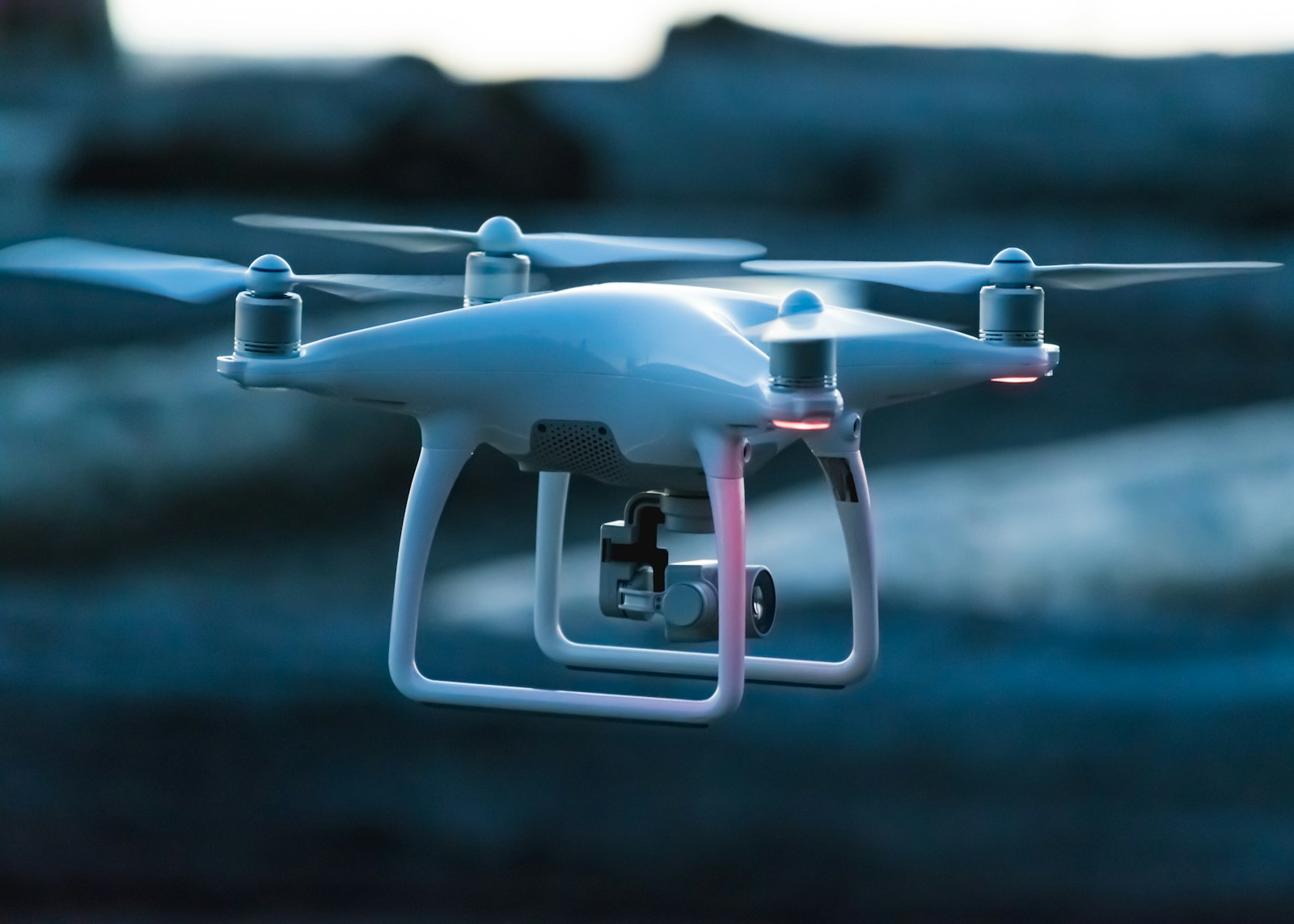
Drones have transformed modern visual storytelling, giving independent filmmakers access to perspective tools once reserved for helicopter camera crews. However, capturing truly cinematic aerial footage requires moving past simple high-altitude hover shots and mastering intentional, multi-axis camera movements.
1. The Foreground Horizon Reveal
The reveal shot is one of the most powerful establishing techniques in cinema. Instead of starting in open air, begin with the drone positioned low behind a foreground element—such as a tree line, a building rooftop, or a rocky ridge.
As you fly forward, ascend smoothly to reveal the expansive landscape, city skyline, or subject beyond. The transition from obscured foreground to open panoramic view creates an instant feeling of scale and discovery.
2. The Low-Altitude Push-In with Subject Compression
Flying too high often diminishes the feeling of speed. For kinetic, energetic sequences, fly the drone between 3 to 6 feet off the ground while flying forward toward your subject.
The ground texture rushing beneath the lens conveys immediate speed and physical momentum, drawing the viewer dynamically into the scene.
3. The Cinematic Pull-Out (Isolation Shot)
The inverse of the push-in, this move begins on a tight framing of a solitary subject (a person on a cliff edge, an isolated vehicle, or an architectural feature) and flies backward and upward simultaneously.
This shot emphasizes solitude, scale, and environmental grandeur, making it an ideal closing shot for documentary sequences or commercial brand films. To maintain audience engagement when cutting between dynamic aerial sweeps and grounded dialogue, apply the micro-pacing strategies detailed in our 7 video editing techniques for reel retention.
4. The Point-of-Interest (POI) Orbit
Orbiting a central subject involves combining lateral roll with opposite yaw while maintaining consistent forward throttle. When executed smoothly, the background rotates around the anchor point, creating dramatic visual separation.
"Keep your orbit radius wide and your flight speed slow. A subtle, measured orbit feels deliberate and cinematic, whereas a fast, tight rotation can disorient the viewer."
5. The 90-Degree Top-Down Geometric Flyover
Tilting the gimbal camera completely perpendicular to the earth (straight down at 90 degrees) abstracts natural and urban landscapes into graphic patterns, symmetry, and flowing textures.
Capture winding mountain roads, coastal surf breaks, architectural rooftops, and forest canopies from this bird's-eye vantage point to provide visual rhythm between traditional eye-level shots.
6. The Lateral Parallax Tracking Shot
Fly sideways (strafing) while keeping the camera pointed at a distant landmark through foreground structures (such as bridge cables, trees, or pillars). The foreground moves rapidly across the frame while the background moves slowly, generating dramatic physical parallax.
7. The Chase and Lead Dynamic Tracking
Tracking moving vehicles, athletes, or boats requires matching speed and trajectory. Leading the subject from the front or chasing from a low rear three-quarter angle produces commercial-grade automotive and lifestyle imagery.
8. The Tilt-Up Sky Reveal
Start with the gimbal angled downward at the ground as the drone flies forward. Over the course of 4–6 seconds, slowly and smoothly tilt the gimbal upward to reveal the horizon, mountain peaks, and golden hour sky.
Daylight ND Filter Selection Guide for 4K Aerial Video
To preserve a natural 180-degree shutter angle (1/50s at 24fps or 1/120s at 60fps), selecting the correct Neutral Density (ND) filter is critical. Flat drone picture profiles like D-Log benefit significantly from accurate Rec.709 conversion; you can apply our calibrated Free Cinematic LUT to restore balanced contrast and clean sky highlights. Use our studio reference matrix below:
| Lighting Condition | Recommended ND Filter | Target Shutter Speed | Visual Quality |
|---|---|---|---|
| Overcast / Heavy Cloud Cover | ND4 or ND8 | 1/50s @ 24fps (ISO 100) | Soft natural shadow rolloff |
| Golden Hour / Late Afternoon | ND8 or ND16 | 1/50s @ 24fps (ISO 100) | Rich warm highlights without clipping |
| Bright Direct Sunlight | ND32 or ND64 | 1/50s @ 24fps (ISO 100) | Fluid motion blur on rushing ground textures |
| Water Reflections / Intense Glare | ND64/PL (Polarizer) | 1/50s @ 24fps (ISO 100) | Eliminates surface specular sheen, reveals water depth |
💡 Studio Drone Tuning Tip
Lower your controller Pitch Sensitivity (EXP) to 0.25 and decrease Gimbal Pitch Smoothness to 22 in your flight app. This eliminates robotic acceleration stops when beginning or ending an aerial tracking run.
Frequently Asked Questions
What ND filter is best for 4K drone cinematography at midday?
For direct midday sun at ISO 100 and a 180-degree shutter angle (1/50s at 24fps), an ND32 or ND64 filter is typically required. Without a strong ND filter, your drone camera will be forced to shoot at shutter speeds of 1/1000s or faster, introducing distracting micro-jitter and stroboscopic motion artifacts.
How do I stop drone footage from looking jerky or robotic?
To eliminate robotic movements, always fly in Cinematic or Tripod mode, dial your gimbal smoothness buffer up to at least 20, and execute compound movements (combining forward pitch with slow yaw or gimbal tilt) simultaneously rather than adjusting one axis at a time.
Should I shoot in 24fps, 30fps, or 60fps for commercial aerials?
Shoot at 24fps for narrative films, commercial brand stories, and natural cinematic motion blur. Reserve 60fps for high-speed tracking (boats, sports cars, action sports) where you intend to slow the footage down by 40% in post-production for smooth slow-motion elegance.
Written by Mohammad Ariful Islam
Business Development Manager at DMark Network • Commercial Videographer & Visual Storyteller
Crafting high-impact commercial cinematography, short-form visual hooks, culinary stories, and brand films. Based in Dhaka, creating visuals worldwide.
Related Journal Articles
Commercial Drone Regulations: Global & US/BD Guide 2026
Understanding commercial drone regulations is crucial for professional visual storytellers in 2026. This guide provides a comprehensive overview of global, US, and Bangladesh rules to ensure compliant and successful aerial cinematography projects.
DJI Mavic 4 Pro Review: The Ultimate Drone for Professional Cinematography in 2026 | Arrusclick
Adaptive Streaming Video Codecs 2026: Dynamic Delivery
Adaptive streaming codecs are crucial for delivering high-quality video across diverse network conditions and devices. Understanding their evolution and implementation is key for future-proofing your video content strategy.
Was this article helpful?
Share your quick feedback with a single anonymous click.
Comments(0)